NetSuite Change Rollback: Why There Is No Undo Button (and How to Plan a Safe Reversion)
Reverting a NetSuite change is rarely one click. Learn the four reversion strategies, when to use each, and how to write a rollback plan before you deploy—not during the incident.
ConfigLedger · 20 October 2026 · 13 min read
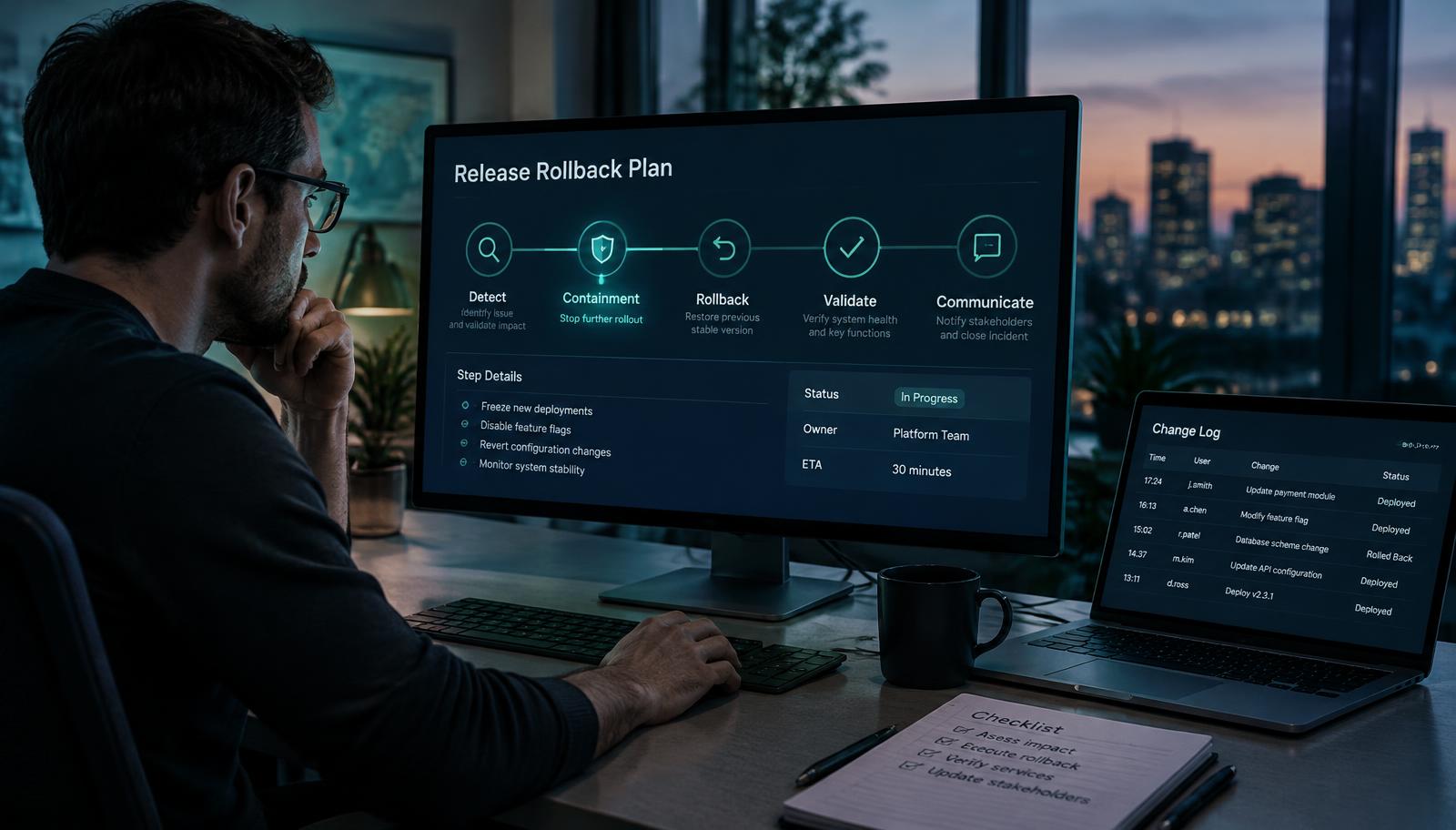
The deployment finished at 4:40pm. By 5:15pm the accounts payable team noticed that vendor bills were routing to the wrong approver. Someone in the release channel asked the obvious question: “Can we just roll it back?” In NetSuite, the honest answer is usually “partly, and it depends on what we planned.”
This guide is for NetSuite administrators, consultants, IT leaders and finance process owners. It completes the lifecycle covered in our earlier articles: understanding dependencies, planning a change and testing it in Sandbox. Here we focus on the final control question from our pre-change checklist: what is the rollback plan?
Why can’t you simply undo a NetSuite deployment?
Rolling back a stateless web application often means redeploying the previous build. An ERP is different: the change is only half the story. The other half is the business activity that ran through it—transactions saved, approvals routed, emails sent, integrations synchronised and reports consumed. Reversing the configuration does not reverse those events.
1. Configuration and data change together
If a workflow set the wrong approver on 140 vendor bills, restoring the previous workflow version stops new bills being affected. It does not change the 140 bills already routed. Those need identifying, reviewing and correcting under your finance controls.
2. Some deployment methods have no uninstall path
Oracle’s SuiteCloud Project Deployment and Limitations documentation notes that Account Customization Projects cannot be uninstalled. Objects deployed through them must be reverted by deploying a corrected definition or by careful manual changes. Treat “we’ll remove it if it goes wrong” as an unverified assumption until you have checked the deployment method.
3. Dependencies may have moved on
Between deployment and incident, other people may have edited related objects, created saved searches against a new field or mapped it in an integration. Redeploying an older definition can break those newer dependants. A reversion is itself a change and deserves an impact check.
4. External systems keep sending
Middleware, e-commerce platforms and banking connectors do not pause because NetSuite has a problem. Queued or retried requests may continue to create affected records, or may fail and pile up. Containment often starts outside NetSuite.
Rollback is not a button. It is a decision about what to stop, what to restore and what to repair.
The four NetSuite reversion strategies
Most recoveries use a combination of four strategies. Choosing between them deliberately—rather than reaching for “revert everything”—usually shortens the incident and reduces new risk.

Strategy 1: Contain the impact
Containment stops the change from affecting more records while you decide how to recover. Depending on what was deployed, options can include setting a script deployment to not deployed or adjusting its execution contexts, making a workflow inactive or changing its initiation conditions, pausing a scheduled import or integration flow, or temporarily restricting access to an affected form. Confirm each option’s side effects—disabling a workflow mid-flight may leave records in an intermediate state.
Strategy 2: Fix forward
Sometimes the smallest safe action is a targeted correction rather than a full reversion: fixing a wrong condition, a mis-mapped field or a missing permission. Fix-forward is appropriate when the defect is well understood, the correction is small and testable, and reverting would discard other valid changes. It still needs review and, where policy requires, approval.
Strategy 3: Revert to a known-good version
If your customisations are managed in a SuiteCloud Development Framework project under version control, you can redeploy the previous definitions of affected objects. This works best when the release was small and its objects are clearly identified. Validate the reverted project before deployment, and check whether anything created since the release now depends on the new version.
Strategy 4: Reconcile the data
Identify records created or modified while the change was live—system notes, saved searches filtered by date and the affected fields, or integration logs can help. Then decide, with the process owner, whether each record needs correction, reprocessing, reversal through the normal accounting process or simply documentation. Financial corrections should follow your existing controls rather than bulk edits made under incident pressure.
What should a NetSuite rollback plan include?
A rollback plan is written before deployment and reviewed with the change. It should be short enough to use under pressure and specific enough that someone other than the builder could execute it.
- Scope: the exact objects, scripts, workflows, fields and settings in the release, with their previous versions or values recorded.
- Deployment method: SDF project, SuiteApp, bundle or manual change—and what that means for removal.
- Detection signals: which saved searches, error logs, integration alerts or user reports would show something is wrong, and who watches them after release.
- Containment steps: how to stop further impact for each component, and their side effects.
- Reversion option: whether you will revert, fix forward or both, and the known-good version you would deploy.
- Data reconciliation: how to find affected records and who decides how they are corrected.
- Decision owner: who can authorise a reversion in Production, and how stakeholders are informed.
A five-step runbook for a NetSuite production incident
- Confirm and scope: verify the symptom, link it to the release, and record when the change went live.
- Contain: apply the planned containment for the affected component, including pausing external sources if needed.
- Decide: choose fix-forward, reversion or both, with the decision owner—check dependencies created since release.
- Recover and verify: deploy the correction or known-good version, then test the original business path again.
- Reconcile and record: correct affected records under normal controls and document the timeline, decisions and evidence.
The record matters. An auditable timeline of what changed, who approved the reversion and which records were corrected turns an incident into evidence that your change process works—and gives you material to improve the next release.
Worked example: a vendor bill approval change
Consider a fictional organisation that changes its vendor bill approval workflow so bills over a threshold route to a regional finance manager. After release, bills from one subsidiary route to the wrong person because a role reference differs from Sandbox. This is an illustrative scenario, not a ConfigLedger customer result.
- Contain: the team changes the workflow initiation condition so new bills from the affected subsidiary use the previous routing.
- Decide: the defect is a single role reference, so they fix forward rather than redeploy the old workflow, which would discard valid changes for other subsidiaries.
- Reconcile: a saved search lists bills from that subsidiary created since go-live with the wrong pending approver; the finance lead reassigns them through the normal approval process.
- Record: the change record captures the timeline, the role difference, the correction and a new test case for subsidiary-specific roles.
Where ConfigLedger fits
ConfigLedger is designed around safe reversion rather than promises of universal undo. Each Change Set records the objects in scope, their dependencies, the planned changes, test evidence and approvals, alongside a rollback plan reviewed before Production deployment. The aim is that when someone asks “can we roll it back?”, the answer is already written down.
Frequently asked questions
Can you roll back a deployment in NetSuite?
Often partly. You can usually redeploy a previous version of SDF-managed objects, disable a script deployment or change a workflow, but records created or changed while the faulty version was live are not automatically restored and must be reconciled separately.
Can an Account Customization Project be uninstalled?
Oracle documents that Account Customization Projects cannot be uninstalled. Changes deployed this way must be reversed by deploying corrected definitions or making controlled manual changes.
Should I roll back or fix forward?
Fix forward when the defect is small, well understood and testable, and a reversion would discard other valid changes. Revert when the release is isolated and nothing newer depends on it. In both cases, contain first if impact is ongoing.
When should a rollback plan be written?
Before deployment, as part of the change review. A plan written during an incident tends to miss dependencies, data reconciliation and decision ownership.
Sources and further reading
Continue reading
See your own account’s dependencies.
Book a walkthrough and we will show you how ConfigLedger maps a real NetSuite environment.